Free tool for Windows
Win-INNsider
Device info and quick toggles in the taskbar - one icon, one click, one flyout styled like the Windows quick settings. For users who want to know what their device is doing, and for helpdesks who need to find out over the phone in a minute.
Three tabs, one click
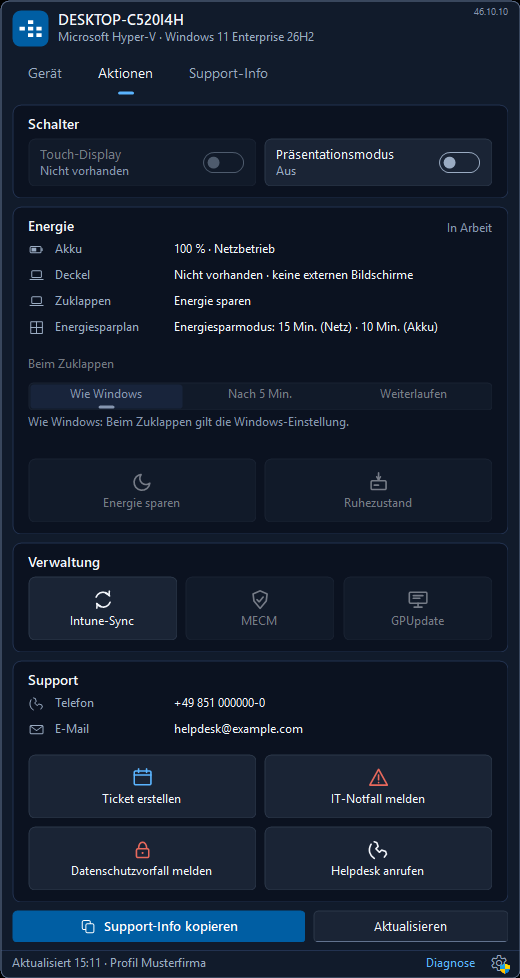
One click on the BitStream icon in the taskbar opens the flyout - light or dark like Windows, in English, German, French or Spanish.
-
Device
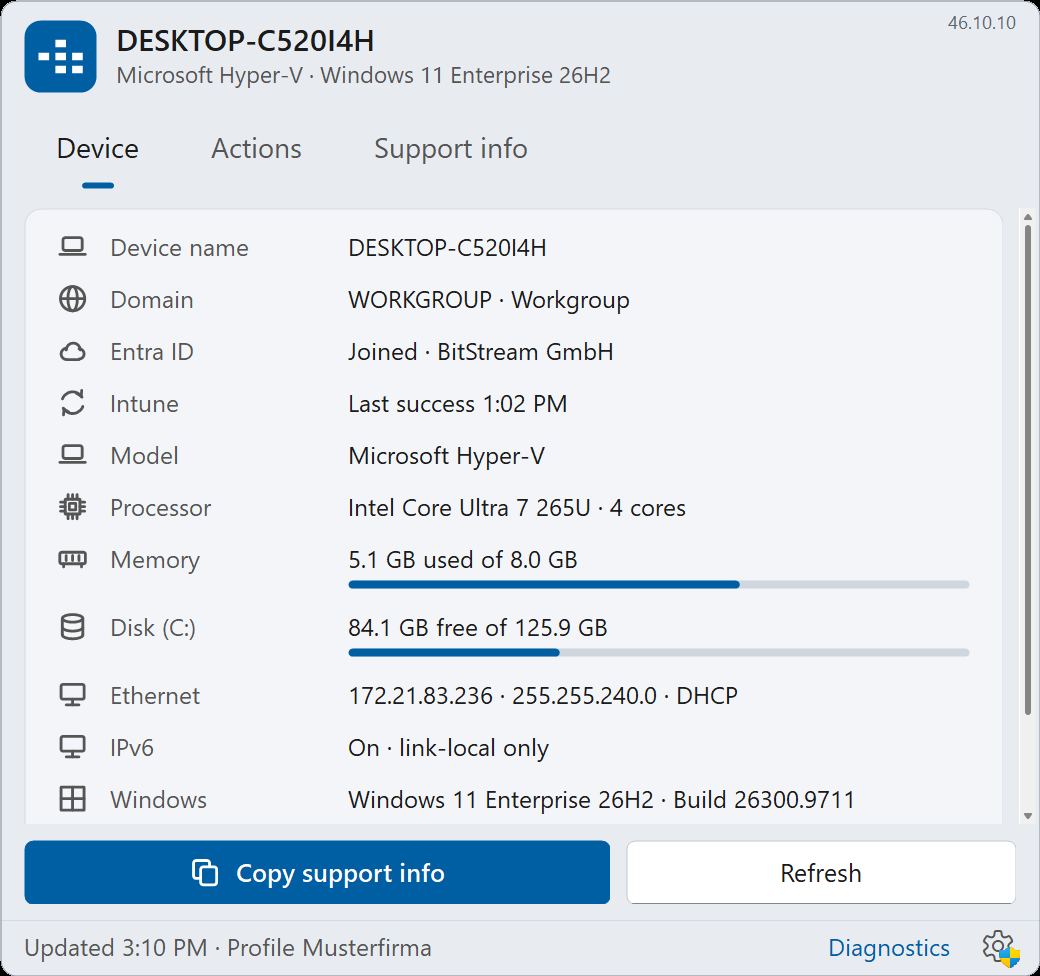
Computer name, domain, Entra ID, Intune status, model, serial number, processor, memory, disks, every network adapter with address, mask and DHCP or manual, IPv6, Windows version and build, uptime with "restart pending", monitored services. Every line can be copied. -
Actions
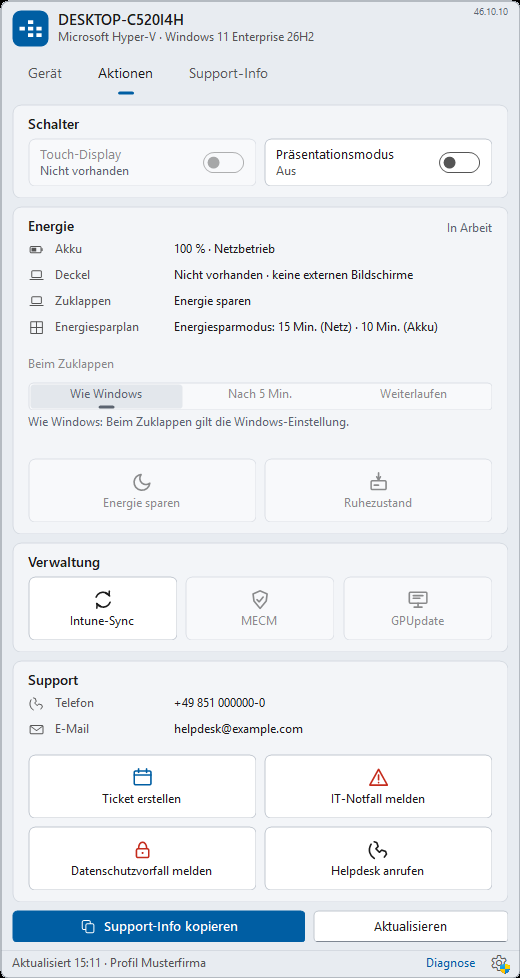
Toggle touch display and presentation mode, keep an eye on power (battery, lid, power plan), trigger the Intune sync, create a ticket, report an IT emergency or a privacy incident, call the helpdesk. -
Support info
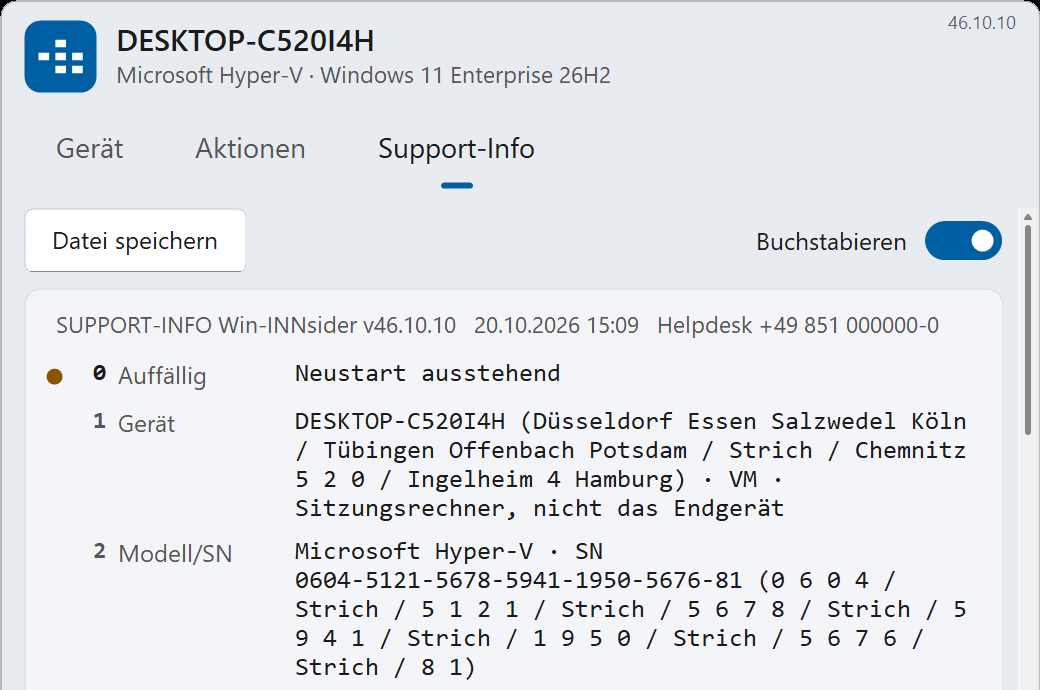
What the helpdesk needs, in fixed lines 0 to 20 - to read out over the phone, to paste into the ticket or to save as a file on the desktop.
Whatever an organisation does not want to show, it hides: every line and every tile has its switch in the configuration.
For the helpdesk: "Read me line 8"
The "Support info" tab shows what a helpdesk needs over the phone in fixed, numbered lines - always in the same order, on every device:
- 0 Noticeable - what is wrong right now (restart pending, disk full, service stopped)
- 1 to 2 - device and serial number, spelled out letter by letter on request
- 3 to 7 - session (local, RDP, AVD, Citrix, Horizon), user, Windows, last start, updates
- 8 to 10 - connection profile (office, home, VPN, hotspot), IP, tests for gateway, DNS, internet, intranet and domain controller
- 11 and up, on request - proxy, storage, time, antivirus, BitLocker, events, problem devices, printers, network drives, Office and Teams
The main button copies the lines to the clipboard, "Save file" puts the full text on the desktop. All without administrator rights, read only when the tab is opened - idle, Win-INNsider costs nothing.
Plus the support card with the contact channels of your own IT: phone, e-mail, "Create ticket", "Report IT emergency", "Report privacy incident" - each address with placeholders for computer name, user, IP, serial number and model, so the ticket arrives already filled in.
Toggles, power, management
-
Touch display
Switch it off and on again - the service toggles the digitizer like Device Manager does and restores it after a restart if you want. -
Presentation mode
No notifications, no screen saver while the projector is on. -
Power
Battery, lid and power plan at a glance; "Sleep" and "Hibernate" as a button. Lid modes (immediately, after x minutes, keep running) are built and in acceptance testing. -
Intune sync
Without administrator rights through the Windows MDM session - the same path as "Sync" in Settings, just one click away, with a completion message. -
MECM and GPUpdate
Trigger Configuration Manager client schedules, refresh Group Policy - in acceptance testing, greyed out until then. -
Only what is there
Tiles for Intune, MECM or touch appear only if the client or the hardware exists ("auto"); whatever cannot work is greyed out with a reason.
For IT departments
Deploy
One MSI under 1 MB, no additional runtime: Win-INNsider runs on .NET
Framework 4.8, which is part of Windows. Roll it out with Intune, MECM,
Group Policy or by hand:
msiexec /i BitStream_Win-INNsider_<version>_x64.msi /qn.
The icon appears immediately in all logged-on sessions and disappears
immediately on removal - no sign-out, no restart.
STARTEN=0- start the tray only at the next sign-in.UPDATEPRUEFUNG=0- automatic updates off (Enterprise license, see License).PRUEFLAUF=1- trial run without changing the system.INSTALLDIR=- different target folder;TRANSFORMS=:1031- German installer on a non-German Windows.
Configure
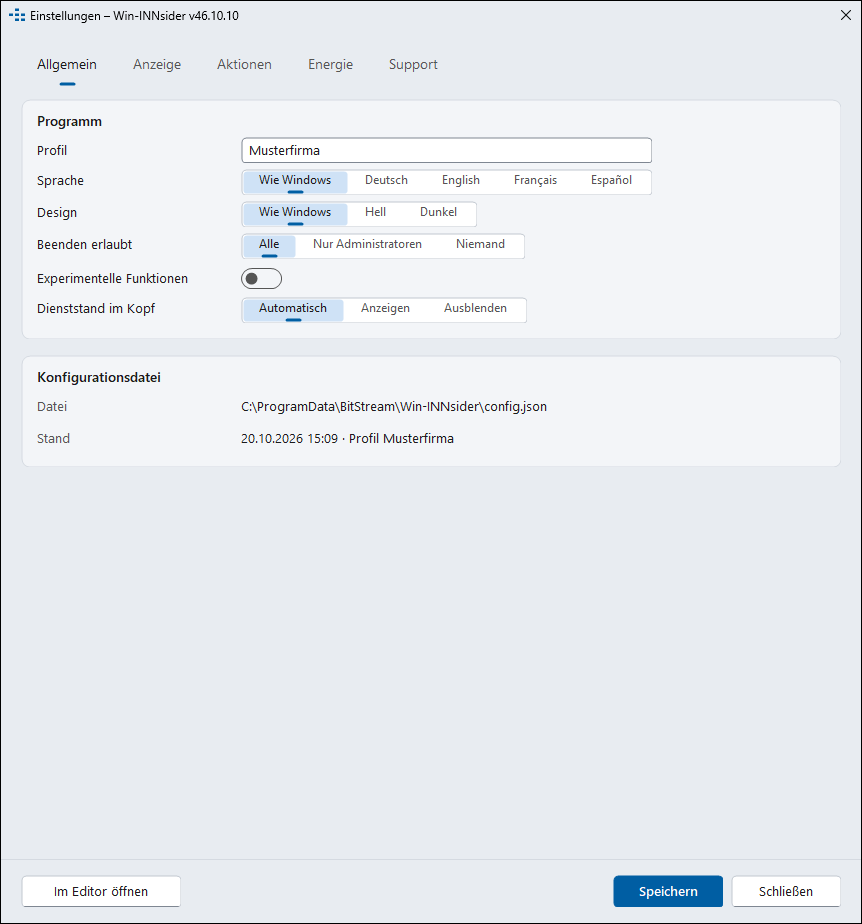
One file: %ProgramData%\BitStream\Win-INNsider\config.json
(a template with every key sits next to it). Profile name, support contacts,
every line and tile individually, monitored services, power behaviour,
language, colour scheme, whether users may exit the program - changes apply
immediately. The settings window edits the same file; only administrators may
change it, standard users get the UAC prompt.
Policies under HKLM\Software\Policies\BitStream\Win-INNsider
take precedence over the configuration (UpdatePruefung,
UpdateQuelle for your own update mirror, Lizenz);
ADMX templates for GPO and Intune are in progress.
Security
Privileged actions (touch display, MECM, GPUpdate, writing the configuration, updates) are carried out by a Windows service - with a fixed command list, every command checked against the configuration and logged with session and user. No back door: the pipe knows no command with a path or an address. The data folder belongs to the administrators, and the service accepts only a configuration owned by SYSTEM or the administrators. Program and package are signed with the code-signing certificate of BitStream GmbH.
Update
The service checks daily for a new version, downloads it into a protected cache, verifies SHA-256 and the Authenticode signature and installs silently. For enterprises: stable and preview channels, approval of a specific version, maintenance window, your own mirror by policy, the previous version kept for two weeks as a fallback - this extension is under way. Only the version number is transmitted, no device data (see the privacy policy).
Download
Win-INNsider 46.10.10
- File
BitStream_Win-INNsider_46.10.10_x64.msi- Size
- 676 KB (692,224 bytes)
- SHA-256
379100C4098D2C0A744A60ECDBBFDED2B52934A945B64CE269A86786F03839E0- Signature
- BitStream GmbH (Authenticode)
- Requirements
- Windows 10 from 21H2, Windows 11, Windows Server from 2019 - 64-bit; .NET Framework 4.8 (part of Windows, on servers via Windows Update)
- Installation
- Windows Installer, administrator rights; creates the service and the sign-in task; English user interface, German on a German Windows
To try it without installing, the EXE from the package is enough: it shows the flyout without the service; touch display and Intune sync then ask for administrator rights, and restoring the touch display after a restart is only available with the service.
License
Private use
Free, without registration. Full feature set, automatic updates from BitStream, no advertising, no telemetry.
Businesses and public authorities
For use within an organisation, register briefly - company, contact person, e-mail address, number of devices. Free of charge if we may inform you at this address about new versions and products from BitStream. With a support contract if you want assistance with deployment and operation or prefer not to be contacted - then additionally: control or switch off updates yourself (your own mirror, approval of specific versions) and your own banner at the top of the flyout. Terms on request.
Register for business useWin-INNsider is provided without warranty and may be passed on as an unmodified installation package. The source code is not part of the offer.
Frequently asked
What does Win-INNsider send to BitStream?
Only the daily question for a new version, with its own version number as identifier. No device data, no user, no usage statistics. The support info leaves the computer only when the user copies or saves it.
Do I need the service?
For everything that needs administrator rights: toggling the touch display and restoring it after a restart, MECM, GPUpdate, saving the configuration from the settings window, updates. Without the service the flyout still runs; touch display and Intune sync then obtain their rights through the UAC prompt.
We have neither Intune nor MECM - is that a problem?
No. Tiles for Intune, MECM and touch are set to "auto" and appear only if the client or the hardware exists.
Can users exit the program?
As you prefer: ui.allowExit in the configuration or the policy
BeendenErlaubt - everyone, administrators only, nobody.
What is planned?
Without a date, still open: start remote support from the flyout, security posture as a traffic light (updates, firmware, known vulnerabilities, hardening), ticket integration with Jira, ServiceNow and the like, QR code of the support info, world clock tab, feedback channel for monitoring.
Why is it called INNsider?
A play on the Inn - the river on which BitStream is at home in Passau, Germany. And on the look inside the device.
Help and feedback
We welcome questions, error reports and requests through the contact form or by e-mail. For a query, the lines from "Diagnostics" in the icon's menu help - they contain version, configuration state and service status, but no data about your user.
Or directly: +49 851 204248-0 · info@bitstream.de